What Is an AI "Skill"? A Plain-English Guide for Business Owners
Skills, Custom GPTs, and prompts all promise to make AI feel less like a stranger and more like a trained employee. Here's what actually separates them — and which one is worth your time.
By Robb Almy, Head Coach, AICoach4.Com
You've done this dance before. You open ChatGPT or Claude, type three paragraphs of context about your business, your tone, your client list, your invoice format and get a great answer. Then tomorrow, you open a new chat and do it all over again. Same three paragraphs. Same context. Same time lost before the AI does anything useful.
That re-explaining tax is the actual problem "Skills" were built to solve. A Skill, in plain terms, is a saved set of instructions and reference material that an AI model loads automatically when your request matches it so you stop re-teaching it the same process every time you sit down. It's different from a one-off prompt, and it's different from a Custom GPT, even though all three get lumped together in conversation. The differences aren't academic. They decide whether the work you put into "training" your AI sticks around, travels with you, or evaporates the moment you close the tab.
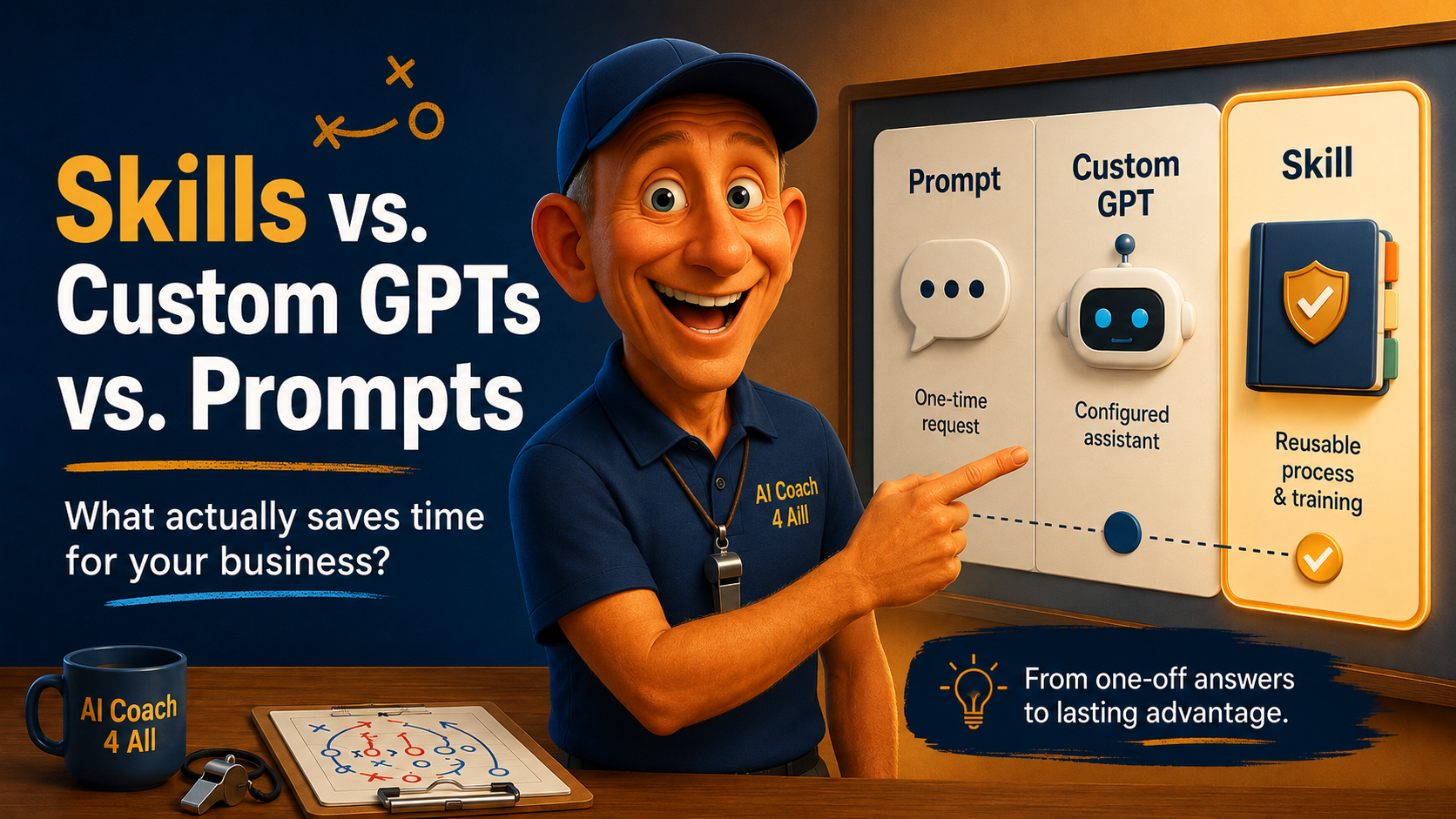
Here's the short version: a prompt is a single instruction you type once. A Custom GPT is a standalone assistant you configure inside ChatGPT, with its own name, personality, and files, that lives only in that app. A Skill is a portable folder of instructions: a written procedure that Claude (and other tools) can load on demand, reuse indefinitely, and share across your whole team. One is a text message. One is a new hire. One is a training manual you write once and hand to anyone who needs it.
Key Takeaways
A prompt is a one-time instruction. A Custom GPT is a configured assistant that lives only inside ChatGPT. A Skill is a reusable instruction file that works across Claude's apps, Claude Code, and the API.
Skills are built for repeatable business processes: the exact same task, done the exact same correct way, every time, without you re-explaining it.
The real advantage over a Custom GPT is portability and focus: Skills are plain files your business can own, version, and keep lean, rather than one bloated assistant trying to do everything.
Skills carry a genuine security consideration business owners shouldn't skip: they can bundle real, executable code, and untrusted ones deserve the same scrutiny you'd give any new software. Beware of skills you download from somewhere else versus creating them.
The businesses getting the most value aren't doing anything exotic. They're taking the one task they explain over and over and writing it down exactly once.
Why This Is So Confusing Right Now
If you've felt lost trying to figure out whether you need a GPT, a Skill, a plugin, or "just a good prompt," you're not behind! The terminology moved fast, and most of it arrived within the same twelve months.
We hear a version of the same story constantly from the business owners we coach: someone spent an afternoon building the "perfect" Custom GPT for their customer service replies, only to realize it lives in one person's ChatGPT account, can't be handed to a new hire without rebuilding it, and quietly drifts out of date because nobody remembers to update the files inside it. Meanwhile, the "just write a better prompt" crowd is retyping the same paragraph of business context every single morning, because a prompt has no memory once the chat ends.
Neither failure is really about AI skill (the human kind). It's an architecture problem. The tool wasn't built to hold what they needed it to hold.
What a Skill Actually Is (and Where It Came From)
Anthropic introduced Skills for Claude in October 2025 as a way to package instructions, examples, and reference material into a self-contained folder that Claude can find and load only when it's relevant to the task at hand. The core file is called a “SKILL.md” file. It is a plain text, plain Markdown, no code required file and it can sit alongside templates, checklists, or scripts the task needs.
The mechanism behind this is called progressive disclosure. Claude doesn't load every Skill you own into every conversation. It scans short descriptions first, and only pulls in the full instructions for the one that actually matches your request. That's why a business can stack up a dozen Skills, one for invoicing, one for brand voice, one for meeting notes without every conversation getting bogged down carrying all twelve at once.
A Custom GPT, by contrast, is a single configured version of ChatGPT: a name, an avatar, a system prompt, and some uploaded files, all bundled into one assistant that lives inside your ChatGPT account. It's genuinely good at one thing Skills aren't built for shareability. A Custom GPT gets a public link. Anyone with a ChatGPT account can click it and use it, no setup required, which is exactly why the GPT Store took off for public-facing helpers. But that convenience comes at a cost: the GPT only runs inside ChatGPT, it can't be exported as a file, and access disappears the moment the subscription does.
A Skill trades that public shareability for ownership and reach. Because it's just files, it's portable across Claude.ai, Claude Code, and the API, and a team can literally hand the same folder to every employee. Nothing about it locks you into one vendor's app the way a Custom GPT does.
And a prompt sits underneath both. It's the instruction typed into that particular conversation, gone the moment the thread ends unless you're pasting it fresh each time. Anthropic's own framing is useful here: think of live tool connections (like your CRM or accounting software) as a professional kitchen, fully stocked. A Skill is like a recipe: the exact procedure for turning those ingredients into the same finished dish every time. A prompt on the other hand, is closer to tonight's mood in the kitchen: useful in the moment, gone by morning.
The Real Difference Isn't Features…It's Ownership
Here's the reframe we come back to with every client who asks us "which one do I actually need?” Stop comparing feature lists and ask who's holding the pen.
A prompt, you write and immediately hand back to the AI. A Custom GPT, you build, but OpenAI holds the record and it lives in their system, editable only through their configurator, with no download button. A Skill is the only one of the three you actually walk away owning. It's a folder of plain text on your machine or in your business's shared drive. You can put it in version control. You can hand it to a new employee on day one. You can update the file once and know every future use of that task follows the update no re-training five people who each learned the old way.
That's the employee test. A prompt is a text message you send a temp who forgets everything by tomorrow. A Custom GPT is a new hire with a fixed job description who can only ever work inside one building. A Skill is a training manual: written once, correct every time it's followed, and just as usable whether it's Claude, a teammate, or even a different AI tool reading it.
How Small Businesses Are Actually Using This
The businesses getting real value out of Skills aren't doing anything exotic. The pattern is almost boring: find the task you or your team explain more than once, and the one where a mistake actually costs you something, then write the correct process down exactly one time.
Anthropic's own small-business rollout leans on this directly, pairing Skills with connections to tools like QuickBooks, HubSpot, and Google Workspace so a Skill can reconcile a month of transactions against bank settlements, draft a plain-English profit-and-loss summary, and hand you an export-ready packet for your accountant. And it is the same correct way, every month, without you re-explaining the process. Marketing teams use the same pattern for keyword research, blog outlines, and brand-voice copywriting. it is a fixed process with a fixed output shape, run by whoever's on shift that week. Content and coaching businesses use a "voice Skill" to encode word choice and tone so thoroughly that the output stops reading like generic AI and starts reading like their best writer on a good day.
The test worth applying to your own business is this…if you've explained the same process to an AI tool more than once, or if only one person on your team knows how to do a task correctly, that's a Skill candidate. It's the exact same instinct behind writing an SOP for a new hire you're just handing the SOP to the AI instead.
The Concern Worth Taking Seriously
Skills aren't purely upside, and the honest picture includes a real security consideration business owners shouldn't wave off.
A Skill isn't limited to plain instructions. It can bundle actual executable code, scripts that run when the Skill is triggered. That's powerful when you wrote the Skill yourself. It's a legitimate risk when you didn't. Independent research auditing tens of thousands of publicly shared skills found a meaningful share contained real vulnerabilities, and skills that bundled executable scripts were substantially more likely to be flagged than instruction-only ones. Anthropic's own documentation is direct about this trade-off, warning that a poorly vetted skill can expose sensitive data or push an AI agent into actions it shouldn't take, and recommending that anyone installing a skill they didn't write themselves treat it the way they'd treat any new piece of software. Check the source, read what it actually does, and don't grant it more access than the job requires.
The practical takeaway for a small business isn't "avoid Skills." It's "treat a downloaded Skill the way you'd treat a new employee's laptop before it touches your network." Skills you write yourself, describing your own process, carry none of this risk the exposure shows up specifically with third-party Skills pulled from open marketplaces, especially ones bundling scripts you haven't reviewed. Thankfully, Claude makes it easy to turn prompts and workflows into usable skills.
How to Get Started This Week
Pick one task you explain more than once. Not the biggest task on your plate just the most repeated one. Client onboarding emails, a weekly sales recap, a specific invoice format.
Write down the correct version, once. Not a vague description. Write the actual steps, the actual tone, the actual format you want followed every time.
Turn it into a Skill description Claude can recognize. State what the task does and the exact phrases you'd type to trigger it, like "Use when I mention weekly recap or ask to summarize this week's numbers."
Test the trigger before you trust it. Ask Claude directly when it would use this Skill. If the answer sounds confused or too broad, tighten the description.
Keep each Skill narrow. One Skill, one job. A Skill that tries to hold your brand voice, your audience profile, and your invoicing process all at once becomes the exact bloated mess you were trying to avoid with a Custom GPT. That is too much!
Only install someone else's Skill after you've read what it does. If it includes scripts, that's your cue to slow down, not speed up.
Hand it to your team once it works. The whole point is that nobody has to re-explain this task again.
Frequently Asked Questions
Is a Skill the same thing as a Custom GPT? No. A Custom GPT is a configured assistant that lives only inside your ChatGPT account and can't be exported. A Skill is a portable folder of instructions that works across Claude's apps, Claude Code, and the API, and that your business can own, version, and share directly.
Do I need to know how to code to build a Skill? No. The core of a Skill is a plain Markdown file describing the task and when to use it. Content-focused Skills — blog outlines, brand voice, meeting recaps — need no code at all. Skills that call outside tools or run on a schedule need more technical setup.
Can a Skill pull live data from my CRM or accounting software? Not on its own. A Skill is a set of instructions, not a live data feed. Pulling live numbers from tools like QuickBooks or HubSpot requires connecting Claude to those tools separately, which a Skill can then make use of.
Are Skills safe to install from other people? Skills you write yourself describing your own process are low-risk. Skills downloaded from open marketplaces carry real risk, especially ones bundling executable scripts — treat them like new software and check the source before installing.
What's the single best way to know if a task is worth turning into a Skill? Ask whether you've explained the same process to an AI tool more than once, or whether only one person on your team knows how to do it correctly. Either answer means it's a strong Skill candidate.
The Bottom Line
A prompt is what you say once. A Custom GPT is a house you build inside someone else's neighborhood. A Skill is the one you actually get to keep — write the process down once, and stop explaining it for good.
About the Author
Robb Almy is the founder of AI Coach 4 All, where he teaches AI and helps businesses navigate the complexities of the AI landscape. Apply AI to business problems. He helps businesses translate data into decisions and adopt AI adoption responsibly. Robb helps small business owners cut through AI hype and adopt the tools that actually save time and spawn creative workflows that make a difference. A note from Robb…I use AI tools, primarily Claude, ChatGPT and Gemini to research, outline, and draft my content. I provide any source material such as personal stories, frameworks, the business experience, and the judgment about what will actually help you. AI creates the first draft based on my on my own context and voice. I carefully review and edit everything before it reaches you.
